


Easy to read KJV Bible
4.8568.00 Reviews
App Specs
- Version
- Easy to read kjv bible audio offline 17.0
- Updated On
- License
- Free
- Downloads
- 50,000+
- Developer
- Bible Verse
- Categories
- Libraries & Demo
- Platform
- Android
Screenshots

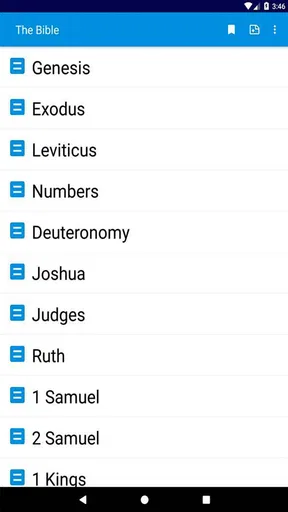

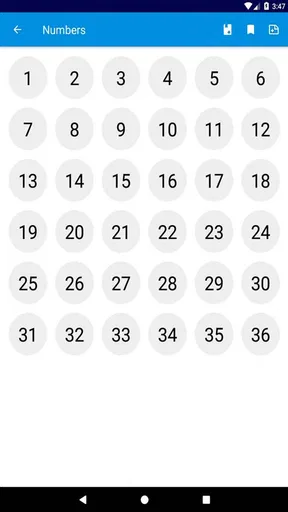




 Analysis by AppCompare
I approach a Bible app by asking a few practical questions: can I find a passage without fuss, is the text comfortable to read, and does it fit the way I actually spend time with scripture? Easy to read KJV Bible is aimed at readers who want the King James Version close at hand rather than a broad study platform. Its name points to its central appeal: a familiar translation presented for everyday reading. If you already prefer KJV wording, that focus can make the app feel more direct than a tool built around lots of translations and study options.
It is a free Bible app in the Libraries & Demo category, developed by Bible Verse, and it is rated for Everyone. Its average rating is 4.8 from around 2,400 ratings, with more than 50,000 installs. Those figures suggest that it has found an audience, but they are not a substitute for deciding whether its particular approach suits you. I would start with the translation: if you want KJV, it is worth considering; if you want to compare modern translations side by side, a broader Bible app may be a better starting point.
Choose it for a focused KJV routine
The useful question is not whether an app can contain a Bible, but whether it helps you return to the text without turning a short reading session into a search for settings. This one is best considered as a focused KJV reader. That makes it a reasonable fit for someone who already knows which translation they want, for a reader who likes to keep a familiar text on a phone, or for someone who wants a straightforward place to begin a daily habit.
The current version is Easy to read kjv bible audio offline 17.0, and the app requires Android 6.0 or later. The version name signals its emphasis on readable KJV text, audio and offline use. I would still treat those as reasons to explore it rather than assume every part of the experience will match every reader’s preferences: reading comfort is personal, and listening is useful only if audio suits your routine.
Where this app is most useful
In my view, the strongest case for this app is a simple one: it puts a specific translation at the centre instead of asking you to choose among many. When I want to read a passage I already have in mind, that kind of focus can be more helpful than opening a large study app with a crowded set of tools. A plain reader can also be easier to return to during a short break, before bed, or while following along with a church reading.
Search, navigation, bookmarks and notes can support different stages of a reading routine: find a passage, keep your place, and save a thought for later. A useful habit is to bookmark a verse when you first notice it, then add a short note about why it mattered rather than trying to write a full commentary on your phone. That keeps personal reflections attached to the passage while leaving room for a separate notebook or study resource when you want to go deeper.
Reading, listening and using it offline
Audio and offline access are especially relevant when your reading does not happen at a desk. If you commute somewhere with unreliable reception, or prefer to step away from mobile data for a while, offline access can make a Bible app more dependable. Before relying on it for a trip or a quiet day without internet, I would open the app while connected and check that the material I plan to use is available offline. It is a small preparation step that avoids discovering a connection problem at the moment you want to read.
Worth Reading Before You Choose

Flipboard Shows What News Apps Must Do Beyond the Feed

Switching to Android Auto Means Rethinking Your Driving Routine

Google Calendar Makes a Crowded Week Easier to Manage

Ludo King Makes the Most of the Minutes Between Plans

Baby Panda World Brings Quick Play to Modern Phones, but Its Game Library Feels Busy

ESPN’s Live Game View Makes Following Close Games Easier
Audio can also help when your eyes are tired or your hands are occupied, but it changes the kind of attention the passage gets. I would use listening for a familiar chapter during a walk or while doing a low-attention task, then switch back to reading when I want to pause over wording or make a note. That is a practical division of labour, not a claim that listening replaces close reading. If you mainly want audio controls, playlists or a dedicated listening experience, an app designed around spoken content may suit you better.
What to weigh against alternatives
The app is free to install, though in-app purchases are listed at $0.99 per item. I would think of that as a reason to check what is included before making a purchase, not as a reason to assume a particular feature is locked behind one. The free starting point keeps the initial decision low-commitment, while the purchase option means it is sensible to review any in-app prompt carefully and decide whether the item offers something you will genuinely use.
There are trade-offs to a KJV-first choice. Readers who want several translations for comparison, extensive study references, or a more academic workflow may be happier with a multi-translation Bible or a dedicated study tool. Those alternatives can make it easier to compare phrasing and consult supporting material, while a focused reader may feel less sprawling. On the other hand, if your main aim is simply to read KJV, extra layers can become clutter rather than a benefit. The better choice depends on whether breadth or a familiar text matters more in your day-to-day use.
I would also be careful not to treat every common Bible-app feature as a reason to choose this particular one without trying it. Reading plans, reminders, devotional material, commentaries, note-taking and ad controls are often mentioned in discussions of Bible apps, but your own decision should be based on what you can actually access and use in the app. A practical test is to look for one passage you know, check how quickly you can reach it, and see whether the reading screen feels comfortable for a few minutes. That tells you more than a long list of possible tools.
A realistic routine and the cost of switching
Imagine you have a few minutes before the day gets busy. You open the app, go to a passage you have been meaning to read, and use a bookmark so you can return to it later. On another day, you might listen instead while walking, then open the passage again when you have time to think about a particular line. This is where a focused KJV app can earn its place: it can make a small, repeatable routine easier without requiring you to turn every session into a full study project.
Switching from another Bible app does not have to mean abandoning everything you have already saved. Before moving your regular reading over, check whether the way you keep notes and bookmarks works for you here, and keep important reflections somewhere you control if you rely on them. I would try the new app alongside your current one for a few sessions before making it the only place you read. That gives you a fair sense of the text display and navigation, while reducing the risk of losing a workflow you depend on.
For someone who is new to Bible apps, I would begin with one simple task: find a passage, read it, and return to it later. Once that feels comfortable, add another habit, such as keeping a bookmark or listening to a section. Trying to use every available option immediately can make even a simple reader feel like work. A modest routine is easier to sustain, and it will show whether this app’s KJV focus is genuinely useful to you.
Who should look elsewhere
This is not the best fit for everyone. If you need a particular modern translation, want to compare several versions while studying, or rely on a specialised reading or research workflow, I would look at alternatives built for those priorities. Likewise, if audio is your main way of engaging with scripture, a dedicated audio-focused option may offer a better fit. The point is not that a focused KJV app is inadequate; it is that a clear preference for breadth or specialised tools should guide your choice.
Readers who are unsure about the King James Version may also want to try a translation they find natural before settling into a long-term routine. KJV’s distinctive wording is meaningful to many people, but it can feel less immediate to someone who is accustomed to contemporary language. I would not choose a Bible app only because it has a readable design if the translation itself makes it harder for you to follow the passage. Comfort with the text matters as much as comfort with the screen.
Features that Make a Difference
First off, let’s talk about the user interface. The Easy to read KJV Bible lives up to its name with a simple, clean design. No more squinting at tiny text or getting lost in overwhelming menus. The developers have clearly put a lot of thought into making it as intuitive as possible.
One of my favorite features is the customizable reading plans. Whether you’re aiming to read the Bible in a year or just want to focus on specific chapters, this app has you covered. You can set daily reminders too, which is perfect for those of us who tend to forget amidst our busy schedules.
Navigation and Search Functionality
Browsing through the scriptures has never been easier. The app’s navigation system is smooth and responsive. You can quickly jump between books, chapters, and verses without any lag. Plus, the search functionality is a lifesaver. Just type in a keyword or verse, and you’ll find what you’re looking for in seconds!
The bookmarks and note-taking features are also top-notch. I love being able to jot down my thoughts or highlight verses that resonate with me. It’s like having a digital journal right within the app.
Offline Access and Additional Resources
Another brilliant feature is offline access. You can download the entire Bible or just specific sections, making it accessible even when you’re off the grid. Perfect for those mornings when you’re commuting or just want to disconnect from the internet.
The app also includes a wealth of additional resources. There are daily devotionals, commentaries, and even audio versions of the scriptures. If you’re the type who prefers listening over reading, this is a fantastic option to have.
A Few Things to Keep in Mind
While the Easy to read KJV Bible is packed with features, there are a couple of things to note. The app does have ads, which can be a bit distracting. However, there’s an option to upgrade to an ad-free version if you’d prefer a cleaner experience.
Also, while the app is primarily designed for the KJV version, it doesn’t offer as many translation options as some other apps. If you’re looking for a variety of translations, you might need to use this app alongside another one.
Final Thoughts
All in all, the Easy to read KJV Bible is a solid choice for anyone looking to engage with scripture in a straightforward, user-friendly way. Its blend of practicality and accessibility makes it stand out among other Bible apps. Whether you’re a seasoned reader or new to the scriptures, this app will make your spiritual journey more enriching.
If you’re interested in giving it a try, you can find the download links easily on both Android and iOS platforms. Happy reading!
Pros
- User-friendly interface for easy navigation.
- Offline access to read anytime
- anywhere.
- Bookmark and highlight favorite verses.
- Daily devotional reminders boost engagement.
- Customizable font sizes for better readability.
Cons
- Limited translation options available.
- No audio version for listening on the go.
- Ads can be intrusive during use.
- Lacks in-depth study tools or guides.
- Requires occasional updates for bug fixes.
FAQs for Easy to read KJV Bible
What features does the Easy to Read KJV Bible app offer?
The Easy to Read KJV Bible app offers a user-friendly interface that allows for easy navigation through the scriptures. It includes features such as customizable fonts for better readability, offline access, daily devotionals, and a verse of the day. Additionally, it provides bookmarking and note-taking options for personal study.
Is the Easy to Read KJV Bible app free to use?
Yes, the Easy to Read KJV Bible app is free to download and use. While it offers a comprehensive set of features at no cost, there may be optional in-app purchases available for enhanced features or ad-free usage. Always check the app store description for detailed pricing information.
Can I use the Easy to Read KJV Bible app offline?
Absolutely! The Easy to Read KJV Bible app allows users to download the Bible for offline reading. This feature ensures you can access the scriptures anytime, anywhere, without the need for an internet connection, making it convenient for daily devotionals or study on the go.
How does the app ensure readability for users with visual impairments?
The Easy to Read KJV Bible app prioritizes accessibility by offering customizable text sizes and fonts. Users can adjust these settings to enhance readability. The app may also support screen readers and other assistive technologies, ensuring that it caters to the needs of users with visual impairments.
Is the Easy to Read KJV Bible app available on both Android and iOS?
Yes, the Easy to Read KJV Bible app is available on both Android and iOS platforms. Users can download it from the Google Play Store for Android devices or the Apple App Store for iOS devices. Ensure your device meets the app's system requirements for optimal performance.


